 All Case Studies







How to Build a Scalable Business App: Architecture Guide
October 26, 2026 | 8 min read

Founder and CEO at Dcrayon
A scalable business app handles more users, staff, data and features without a rewrite. You get there through choices made before launch: a versioned API, a database modelled on the business, cloud hosting that can grow, automated releases with monitoring, a plan for weak signal, permissions checked on the server, and an admin panel that runs operations.
Most of what makes an app scale sits behind the screens, so our mobile app development team plans the backend with the app. Our worked example is Natually's Flutter shopping app, which runs on the same store platform as the Natually website through a versioned v1 API (see the Natually app case study).
What does scalable mean for a business app?
It means growth in five directions at once, and each one strains a different part of the system.
- Users: more people in the app in the same hour, such as during a sale.
- Data: orders, logs and media that pile up every month.
- People: new staff roles, branches, dealers or partners.
- Features: more releases without new bugs in old screens.
- Systems: links to payment, shipping, accounting or HR tools.
An app can survive heavy traffic and still fail to scale if adding a branch needs a developer to change code.
How should the API be designed and versioned?
Design endpoints around business actions, put a major version in the URL, and keep old versions running while old installs are still in use.
Phones do not update together. A website changes for everyone on the next page load, but app users can keep an old build for months, so the API must serve several app versions at once. Google's AIP-185 guidance puts a major version such as v1 at the start of the REST path, exposes no minor numbers, and asks for a well-communicated deprecation period before an old version is switched off.
- Add fields freely, but never rename or remove one inside v1.
- Move to v2 only for changes old apps cannot survive, and run both for a while.
- Return a minimum supported app version, so the app can ask users to update. On Android, Google Play's in-app updates offer a flexible flow that downloads in the background and an immediate flow that must finish before the app can be used.
On Natually, the store platform's /api/v1 covers sign-in, profile, wishlist, cart, notifications, checkout, preferences, products and categories. The app and the website work from one catalogue, so products are managed once. Contracts and integrations are covered on our API development page.
How do you design the database for growth?
Model the business first, keep one source of truth that every screen reads, and add the fields growth will need before you need them.
If a second warehouse, shop or country is likely, give stock, orders and staff a location from the start, store money with its currency, and keep times in one standard time zone. Keep a history of who changed key records, and run heavy month-end reports against a reporting copy so they never slow checkout.
For Foreverkids, a kidswear retailer, we replaced Marg ERP with one Laravel system covering web orders, in-store billing and the accounts, so every channel writes to the same records. See the Foreverkids case study and our database design page.
Where should a business app be hosted?
On a mainstream cloud, set up so you add capacity by adding servers, with every account in your company's name.
AWS's Well-Architected Framework is a useful checklist even if you host elsewhere. Its six pillars are operational excellence, security, reliability, performance efficiency, cost optimisation and sustainability, and a good vendor can explain how your setup handles each.
- Keep app servers stateless, so more can run behind a load balancer.
- Store images and files in object storage behind a CDN, not on the server disk.
- Send slow jobs, such as emails, image resizing and AI model calls, to a background queue.
- Set budget alerts, so a traffic spike shows on a dashboard before it shows on an invoice.
Natually's web store moved to its own AWS server in May 2026, as our migration case study records. Sizing, scaling and cost control are covered on our cloud solutions page.
How do CI/CD and monitoring keep releases safe?
Automate every build and release, and watch the live system, so more features do not mean more breakage.
A mobile pipeline does more than a web one. It runs tests on every change, signs the build, and sends it to TestFlight and the Google Play testing tracks without anyone uploading files by hand. Both stores also let you release an update gradually, so a fault reaches a few people first.
- Change the backend in two steps: add the new column or endpoint, and remove the old one only when no supported app version uses it.
- Keep remote switches that turn off a faulty feature without a store release.
- Alert a named person on crash rate, API errors, slow endpoints and business signals such as orders per hour.
Pipelines, rollbacks and alerting are what our DevOps services set up.
How should a business app handle weak signal?
Decide screen by screen what must work offline, and make everything else fail politely.
A field sales app may need to take orders in a basement, while a payment screen should never pretend to work offline. Sort each screen into one of three groups:
- Read offline: catalogues, price lists and past orders, cached on the phone.
- Write later: orders, notes or delivery proofs, held and sent when signal returns, with a clear "saved, sending soon" label.
- Online only: payments, stock holds and anything that needs the latest figure.
Give every held action a unique ID, so a retry after a dropped connection cannot create a duplicate order.
How should roles and permissions work?
Check permissions on the server for every request, because hiding a button in the app is not security.
The OWASP API Security Top 10 for 2023 ranks Broken Object Level Authorization first: any endpoint that takes an ID from the user should confirm that user may access that object. Fifth on the list, Broken Function Level Authorization, covers ordinary users reaching admin actions.
- List every role against every sensitive action, such as approving a discount, issuing a refund or exporting data.
- Group permissions into roles, so a new role such as regional manager is a setting, not a code change.
Roles can shape a whole system. Daddy of Tastes, a multi-kitchen restaurant group, runs ordering, kitchen work and delivery from one Laravel codebase, with a separate installable web app for each role (Daddy of Tastes case study).
How should the admin panel keep up as volumes grow?
Plan it as a product for your staff, because orders, requests and offers multiply faster than the customer screens change.
- Edit products, banners and offers.
- Work through queues of orders, returns or requests, each with a clear status.
- Approve items that need a human decision, and import or export in bulk.
- Send push notifications to chosen groups of users.
Customer features create admin work. The Natually app has coupon codes, bank offers, wallet coins and refer-and-earn, and each comes with rules someone must be able to change without a new app release.
How does an enterprise move manual work into an app?
Pick one manual process, move it into software people use daily, and connect it to the systems already in place.
Start with the process that wastes the most time today, not with a platform. At Roundglass, IT administrators copied every joiner and leaver between Zoho HR and Microsoft Azure AD by hand, so we built a Node.js and PostgreSQL service that treats Zoho HR as the source of truth (Roundglass case study). Enterprise buyers also tend to ask for single sign-on with the company directory, audit trails and data held in a chosen region.
Connected systems are what clients notice afterwards. Proven's founder described the result in a GoodFirms review: "They connected it to our shipping and payment partners, set up our ad tracking properly, and made installation leads route straight to our installer network automatically instead of being passed around on calls. After go-live they kept building with us rather than closing the file: prices sync to checkout on their own, we can follow up on abandoned carts, and new requirements get picked up quickly."
Put these choices in your app brief before you request quotes; choosing an app company in India covers who to shortlist.
Check our reviews
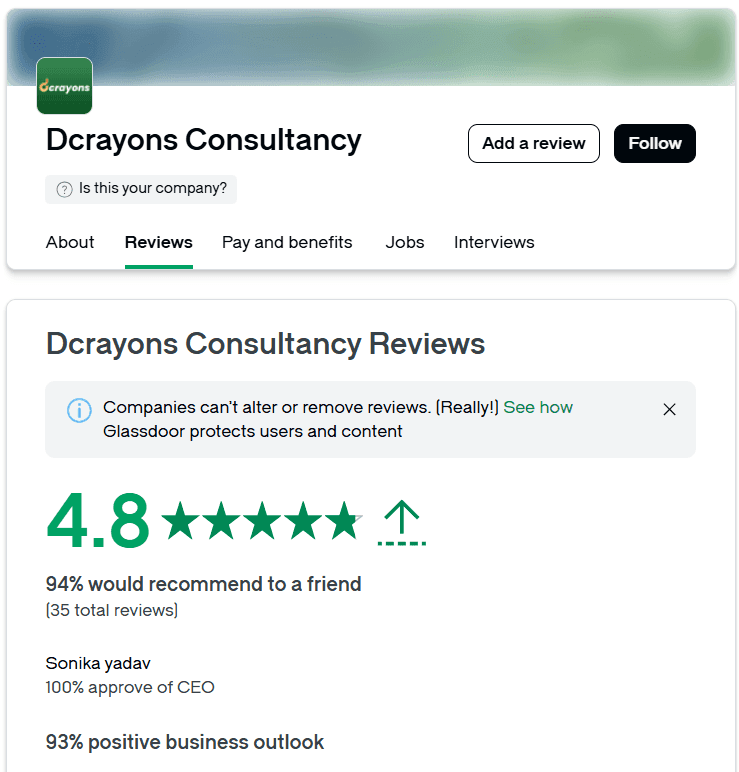
Proven's reviews cover platform and integration work, and the Jikra and Sygnioin reviews each cover a website and a Flutter app. All sit on our GoodFirms profile, which showed 4.9 from 12 reviews in October 2026, while our Clutch profile showed 4.9 from 7 that month. We pay GoodFirms for a PRO listing, which is worth knowing as you read it.
Questions buyers ask
Should we build an MVP first or build for scale from day one?
Build a small first version on foundations that can grow. A versioned API, a clean data model and an automated pipeline add little at the start, while extra features can wait. The SaaS MVP guide for non-technical founders covers the first release.
Do we need microservices to scale?
Rarely at the start. One well-structured backend with clear modules, a queue and a cache carries most business apps a long way, and one part can become its own service later if needed.
Can a new app connect to our ERP or CRM?
Usually, through the system's own API or a sync service. First agree which system is the source of truth for each record, as Zoho HR was for Roundglass.
Related Articles
More insights from the Dcrayon desk.

From Scrolling to Shopping How Meta Muse Is Changing E-Commerce
What if your next shopping assistant wasn’t a person, but an AI agent? Meta is exploring exactly that possibility with Muse, its AI-powered assistant designed to help users discover products, compare deals, and make purchasing decisions.
Read More about From Scrolling to Shopping How Meta Muse Is Changing E-Commerce

Tesla’s Flying Roadster Stunt How Bold Brand Stunts and Marketing Capture Attention in the Age of Social Media
Explore how Tesla’s Flying Roadster stunt highlights viral marketing, bold brand positioning, creative campaigns, and social media engagement.

What Is Crawl Budget and Why Is It Important for SEO?
When reviewing your website for technical SEO in tandem with professional web development, you can detect unnecessary redirects, broken links, duplicate URL patterns, and other problems that hinder website crawling.
Read More about What Is Crawl Budget and Why Is It Important for SEO?
Want to grow your digital presence?
Let's discuss how we can help your business.