 All Case Studies






How to Plan a Flutter MVP: Scope, Team, Cost and Launch
October 20, 2026 | 7 min read

Rahul Yadav
Founder and CEO at Dcrayon

A Flutter MVP plan names the single job your app does for one type of user, lists the few screens that job needs, and separates must-have features from later ones. It also sets up the backend, store accounts and testing before coding starts, so a single Flutter codebase can ship the first version to iOS and Android.
This guide walks through each step the way our Flutter development team would plan it with a founder. We do not quote prices here. Instead, we show what changes the cost, so you can compare quotes on equal terms. If you have not settled on a framework yet, read Flutter vs React Native for startups first.
What should a Flutter MVP include?
An MVP should include only what a user needs to finish the core job once, plus what the app stores require. Everything else goes on a "later" list.
Must-haves for most first releases:
- The core flow, such as booking, ordering or logging something, from the first screen to the confirmation.
- Sign-in if the app needs accounts, together with a way to delete the account from inside the app.
- A privacy policy that users can reach inside the app.
- Crash reporting and basic analytics, so the first users teach you something.
- A simple admin tool to manage content, orders or users.
Good candidates for the later list:
- Referral schemes and social sharing.
- In-app chat.
- Extra languages and a dark theme.
- Offline sync beyond simple caching.
- Personalised feeds and recommendations.
The admin side is easy to underestimate. On the Proven project, a web platform rather than an app, the founder's GoodFirms review describes the admin side running orders, pricing, inventory, dealer enquiries, demo bookings and installation requests in one place. A business app often needs a back office of the same kind, even when customers only ever see the phone screens.
How do I scope a Flutter MVP step by step?
Scope from the user's job outward, and write every decision down. A written scope is what makes quotes from different agencies comparable.
- Write the job in one sentence, for example: "A customer books and pays for a home service slot."
- Map the journey from opening the app to finishing that job.
- Sketch each screen the journey needs as a simple wireframe.
- List the data and outside services involved, such as payments, maps, SMS or email.
- Decide what can stay manual at first, such as approving new sellers by hand.
- Pick one number that tells you the MVP worked, such as completed bookings per week.
Founders without a technical co-founder will find more help in our SaaS MVP guide for non-technical founders. Common traps, such as building before testing demand, are covered in startup mistakes to avoid.
Who do I need on a Flutter MVP team?
A small MVP team needs five roles, and one person can sometimes cover two. As founder, you hold one of them.
- Product owner (you): decides scope, answers questions quickly and tests every build.
- UI/UX designer: turns the journey into screens before code starts, as our UI/UX design team does.
- Flutter developer: builds the app for both platforms from one codebase.
- Backend developer: builds the API, database and admin tool, unless a managed service such as Firebase covers it.
- QA tester: checks each build on real iPhones and Android phones, ideally backed by our app testing and QA service.
Launch roles can join early as well. In Sygnioin's GoodFirms review, the project team combined development with video editing and SEO, so the app, the website and the launch content moved forward together. To choose the team itself, see how to choose a mobile app development company in India.
What changes the cost of a Flutter MVP?
Scope changes the cost far more than the framework or the country does. Ask every agency to price the same written scope, then compare like with like.
The main cost factors:
- Screens: how many there are and how custom the design is.
- Backend: a managed service like Firebase can be quicker to set up, while a custom API gives more control as business rules grow.
- Integrations: every payment gateway, map, SMS or shipping service adds build and test work.
- User roles: an app for customers only is simpler than one for customers, staff and admins.
- Real-time features: live tracking, chat and instant updates need extra backend work.
- Regulated data: health or financial records bring added security and legal review.
- Device testing: the range of older and newer phones you need to support.
- Store rework: changes requested during app review.
- Upkeep: OS updates, store policy changes and bug fixes after launch.
A cost-effective MVP in India comes from a tight scope and senior people willing to say no to extras, not only from a lower day rate. On the Jikra project, which covered a website and a Flutter app, the client's review says "We got excellent value for our budget."
How do I plan a Flutter app that can scale?
Plan for growth in the backend and the code structure, not by building extra features early. A scalable business app is one where new features and more users do not force a rewrite.
- Keep business rules on the server, so the app and any website share the same logic.
- Version your API, so older app versions keep working while users update.
- Choose one state management approach and use it across the whole codebase.
- Add feature flags, so new features can reach a small group of users first.
- Host the backend on infrastructure that can grow, which our cloud solutions team can set up.
Not every user group needs a store app. For Daddy of Tastes, a restaurant group in Gurugram, we built a customer store, a kitchen board and a rider app as three installable web apps (PWAs) on one Laravel codebase, not as native apps. If some of your users are staff, an installable web app may serve them well and keep the Flutter budget focused on customers.
How do I submit a Flutter MVP to the App Store and Google Play?
Open both developer accounts early, test through each store's beta channel, and check the rules before you submit. Store review belongs in the plan, not at the end of it.
- Open developer accounts in your company's name. Apple asks organisations for a D-U-N-S number, so request one before the build is ready.
- Prepare signed release builds. Flutter's Android deployment guide covers app signing and app bundles, and a matching guide covers iOS.
- Run beta tests. Use TestFlight on iOS and a closed test on Google Play. Google requires new personal developer accounts to run a closed test with at least 12 testers for 14 days before they can apply for production access.
- Fill in the privacy forms. Apple asks for App Privacy details, and Google Play asks for a Data safety form.
- Write review notes. Section 2.1 of Apple's guidelines asks for a demo account when the app has a login, with the backend switched on.
- Check the rules against your feature list. Read the App Store Review Guidelines, including section 5.1.1 on account deletion, and the Google Play Developer Policy Center.
- Plan for feedback. If a reviewer asks for changes, fix them, resubmit and note what changed.
Check our reviews
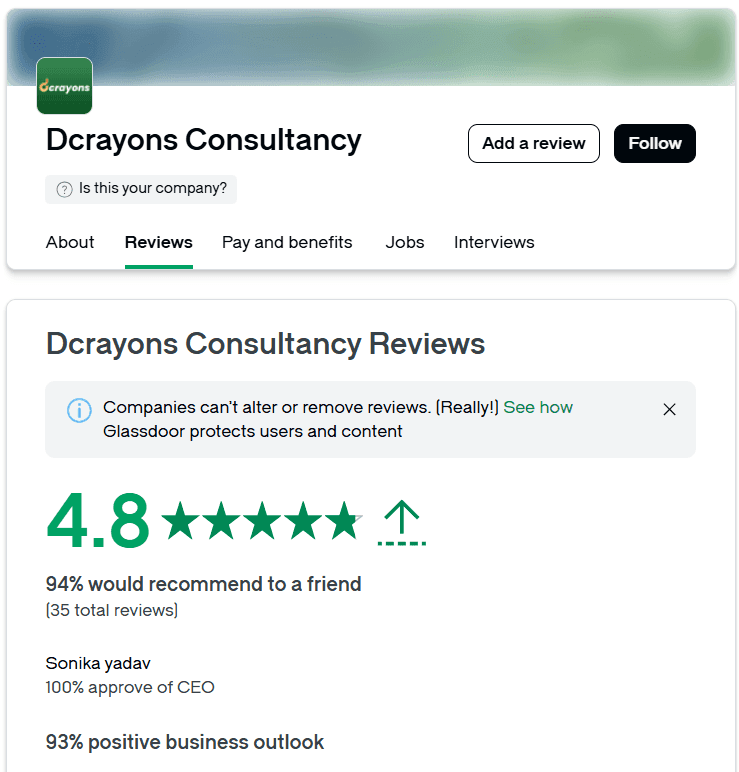
If you are weighing us for your MVP, start with what clients wrote rather than what we say. Our GoodFirms profile shows 4.9 from 8 verified reviews, including the Jikra and Sygnioin Flutter app reviews, and our Clutch profile shows 4.9 from 7 reviews, both as of October 2026.
Questions buyers ask
How many features should a first release have?
Enough to finish one core job and meet store rules. If a feature does not help a first user complete that job, move it to the later list.
Should an MVP launch on iOS and Android at the same time?
With Flutter it can, since one codebase builds both. Some founders still launch on one store first to learn from a smaller group, then release on the second.
Can a Flutter MVP grow into the full product?
Yes, if the code is well structured and the backend is planned for growth. The MVP codebase can stay in use as features are added release by release.
Does a Flutter MVP need its own backend?
Most apps with accounts, payments or shared data do. A managed backend such as Firebase can carry a first release, and a custom API makes sense once the rules get more complex.
Related Articles
More insights from the Dcrayon desk.

Tesla’s Flying Roadster Stunt How Bold Brand Stunts and Marketing Capture Attention in the Age of Social Media
Meta description: Explore how Tesla’s Flying Roadster stunt highlights viral marketing, bold brand positioning, creative campaigns, and social media engagement.

High-Converting Business Websites: What Service Firms Need
What makes a service or B2B website produce enquiries: one page per service, proof beside the form, short forms that ask the right question, and fast pages.

Luxury Brand Website Redesign Without Losing Traffic
How to redesign a premium or luxury brand website and keep search traffic and sales: URL inventory, redirects, photography, type, speed and checkout trust.
Want to grow your digital presence?
Let's discuss how we can help your business.