 All Case Studies







Flutter vs React Native for Startups: Which to Choose
October 20, 2026 | 6 min read

Rahul Yadav
Founder and CEO at Dcrayon
Flutter and React Native can both ship a production app to iOS and Android from one codebase, so most startups do well with either. Choose Flutter when you want one custom design that looks identical on every phone. Choose React Native when your team already writes React and TypeScript, or you want each platform's own controls.
We build with both at Dcrayon. Flutter development is our main mobile focus, and we also offer React Native development. This comparison sticks to what the official docs say, plus what we have seen on client builds.
How do Flutter and React Native differ?
The core difference is who draws the screen. Flutter paints its own widgets, while React Native asks iOS and Android to draw their own native views.
The Flutter architectural overview says Flutter has its own version of each UI control rather than using the system ones, renders through its Impeller engine, and compiles release apps straight to machine code. You write a Flutter app in Dart.
The React Native page on core components says that at runtime React Native creates the matching Android and iOS views for each component, so a button is a real platform button. You write a React Native app in JavaScript or TypeScript, using React.
For a startup, that plays out like this:
- Flutter: your interface looks identical on Apple and Android phones at every price point, because Flutter draws every pixel.
- React Native: your app uses each platform's own controls and behaviour, so it feels at home on both.
When is React Native the better pick?
React Native wins when your people, code or release plans already lean towards React. We say that openly even though Flutter is our main stack, because choosing for the team you have saves rework later.
Pick React Native if:
- Your team writes React for the web. Developers can move between the website and the app without a new language, and share types, validation rules and API code. Our post on why teams choose React covers the web side.
- You want native controls. Date pickers, menus and text fields come from the platform, so they follow each OS's look as Apple and Google update it.
- You want fixes between store releases. With Expo's EAS Update, an app can update its JavaScript, styling and images over the air. Changes to native code still need a new store build.
- You hire from web talent. JavaScript and TypeScript skills carry straight over from web projects.
The React Native team recommends starting new apps on a framework, and its setup guide names Expo, which supplies routing and a standard set of native modules. If an agency starts without one, ask why.
When is Flutter the better pick?
Flutter wins when design control and a single, consistent codebase matter most. It suits startups whose brand lives in the interface.
Pick Flutter if:
- Your design is custom. Brand colours, motion and bespoke components render the same way on both platforms, so designers review one result instead of two.
- You want one language throughout. Interface, logic and tests are all Dart, with hot reload while you build and a single toolchain.
- You may need desktop or web later. The same architectural overview lists Flutter embedders for Android, iOS, Windows, macOS and Linux, and Flutter also compiles for the web.
- You want fewer UI add-ons. Flutter ships full Material and Cupertino widget sets, so many apps need fewer third-party interface packages.
Both Flutter projects in our verified GoodFirms reviews, for Jikra and Sygnioin, were built alongside a website. If you need a site as well, ask whether one team can plan both, so sign-in, content and analytics match across the app and the web. The reviews are on our GoodFirms profile.
Which one performs better?
For most startup apps, users will not feel a speed gap between the two. Slow apps usually come from heavy screens, oversized images and slow APIs, not from the framework.
The honest differences:
- Flutter compiles to machine code and draws each frame itself, which helps with complex animation.
- React Native runs your JavaScript on the device and controls native views from it, which keeps standard screens close to platform behaviour.
- Both let you write Swift or Kotlin for any part that needs it, through platform channels in Flutter and native modules in React Native.
A fast backend helps either framework, which is why API development deserves as much attention as the app itself.
How do I compare React Native and Flutter agencies?
Compare agencies on proof in your chosen framework, how they price, and what clients said after launch. Prices only line up when every agency quotes against the same written scope.
- Framework proof: ask for apps built in that framework that you can install, and check whether reviews name it.
- Upgrade habits: ask how they handle major Flutter or React Native version upgrades and yearly OS releases.
- Pricing model: fixed price for a fixed scope, a monthly team, or hourly billing. Each suits a different stage, so ask what each one includes.
- Client satisfaction: on GoodFirms and Clutch, read the reviews that mention mobile work, then note what each client did next.
Our guide on how to choose a mobile app development company in India explains how to read those profiles in detail.
What does each choice mean for cost?
The framework rarely sets the budget on its own. Both let one team ship two platforms, which is the main reason startups pick cross-platform over two separate native apps.
What moves the cost more is the number of screens, how custom the design is, the backend, outside integrations and real-device testing. If you are scoping version one, how to plan a Flutter MVP breaks down scope and the main cost factors, and our mobile app development page covers native builds when neither framework fits.
A quick way to decide
Answer four questions:
- Does your team already ship React code? If yes, lean React Native.
- Is a custom, brand-heavy interface central to the product? If yes, lean Flutter.
- Do you need to push fixes without waiting for a store release? If yes, look closely at React Native with Expo.
- Will the same code need to run on desktop later? If yes, Flutter's desktop support is worth a look.
If your answers split two and two, pick the framework your long-term developers know best.
Check our reviews
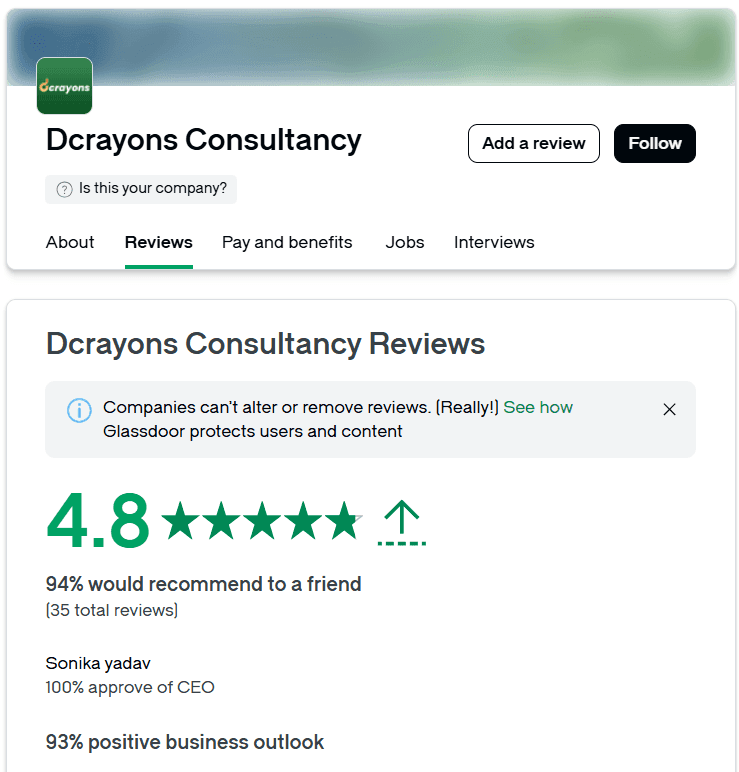
Before you hire any Flutter or React Native team, ours included, read what its clients wrote. As of October 2026, our GoodFirms profile shows a 4.9 average across 8 verified reviews and Clutch shows 4.9 across 7, and both of our app reviews describe Flutter work.
Questions buyers ask
Is Flutter or React Native better for an MVP?
Both suit an MVP. Pick the one your developers will keep working in after launch, because a rewrite later costs more than the small gaps between them.
Can I move from React Native to Flutter later?
Yes, but it means rewriting the interface and most of the app logic. Your backend and APIs can stay as they are if they were built as a separate service.
Do Apple and Google treat Flutter or React Native apps differently?
No. Both produce standard app builds, and both go through the same App Store and Google Play review as a fully native app.
Does Dcrayon build React Native apps?
Yes, we offer React Native alongside Flutter. Our public app reviews so far are for Flutter builds, so ask us to explain how we would run a React Native project for you.
Related Articles
More insights from the Dcrayon desk.

Tesla’s Flying Roadster Stunt How Bold Brand Stunts and Marketing Capture Attention in the Age of Social Media
Meta description: Explore how Tesla’s Flying Roadster stunt highlights viral marketing, bold brand positioning, creative campaigns, and social media engagement.

High-Converting Business Websites: What Service Firms Need
What makes a service or B2B website produce enquiries: one page per service, proof beside the form, short forms that ask the right question, and fast pages.

Luxury Brand Website Redesign Without Losing Traffic
How to redesign a premium or luxury brand website and keep search traffic and sales: URL inventory, redirects, photography, type, speed and checkout trust.
Want to grow your digital presence?
Let's discuss how we can help your business.