 All Case Studies




This guide is for local business owners and the people who look after their Google presence: clinic and practice managers, restaurant teams, trades people and in-house marketers. It is written for someone who wants to do the work properly, without tricks, and without wasting time on features Google has retired.
Google Business Profile changes often. Since 2024, Google has ended chat and call history, turned off Business Profile websites, retired the Questions and Answers API and started replacing Q&A with AI answers in Google Maps. Many guides still describe the old version. This one was checked against Google's own help pages and reputable local search sources in October 2026. Where something has changed, we say what changed and when, and where we could not confirm a detail, we leave it out.
By the end, you will be able to set up or claim a profile and pass verification, including video verification. You will know how to choose categories and attributes that describe your business accurately, keep your name, address and phone number consistent, and avoid the mistakes that lead to suspension. You will have a posting routine you can keep, a plan for customer questions now that Q&A is going, a fair way to ask for and reply to reviews, and a simple method for connecting your profile to real calls and bookings. If you run several locations, you will know how to organise them so you stay in control.
The examples follow four businesses: a physiotherapy clinic, a dental practice, a restaurant and a plumber who serves an area. Each chapter ends with a short list of things to do this week. Published by Dcrayon. Last checked October 2026.
Chapter 1: Setting up your profile: the 2026 onboarding flow
Your Business Profile is the panel people see when they look you up on Google Search and Google Maps. It is free, and you control most of what it says. Setting it up well takes an afternoon. Verification can take a few days more. This chapter walks through the flow in the order you will meet it.
Check that your business is eligible
Google's rules are built around businesses that meet customers in person, either at the business address or at the customer's location. Online-only businesses are not eligible for a profile. A few address rules catch people out:
- P.O. boxes and mailboxes at remote locations are not acceptable addresses.
- A virtual office, where you rent a mailing address but do not work there, does not qualify.
- An office in a co-working space only qualifies if it has clear signage.
- You get one profile per location. Do not create a second profile for the same place.
The full rules are in Google's guidelines for representing your business on Google. Read them once before you start. Many suspensions trace back to one of these points.
Find out whether a profile already exists
Search for your business name on Google Maps before you create anything. Listings can exist before an owner claims them, for example when a customer adds a place to Maps, and a former manager or agency may have set one up years ago. You will be in one of three situations:
- No profile exists. Go to business.google.com/add and choose to add your business.
- A profile exists but nobody has verified it. Open it in Google Maps, select "Claim this business", then "Manage now", and follow the verification steps.
- Someone else has already verified it. Use the Request access option. Google emails the current owner, who has 3 days to respond. If they do not respond, you may be able to claim the profile yourself, although Google says that option is not always available.
A physiotherapy clinic that has changed hands is a common example of the third case. The quickest route is usually a friendly email to the previous owner or their agency asking them to transfer ownership, before you use Google's request form.
Storefront, service area or hybrid
This is the most important structural choice in the setup, because it decides whether Google shows your address.
| Type | Who it fits | What to set |
|---|---|---|
| Storefront | Customers come to you: a dental practice, a restaurant, a physiotherapy clinic | Show your full address and opening hours |
| Service area | You go to customers: a plumber, a physiotherapist who only does home visits | Remove the address from the profile and add service areas |
| Hybrid | Both: a clinic that also does home visits, a restaurant that delivers | Show the address and add service areas |
Google's service area help page lets you set up to 20 service areas based on cities, postal codes or similar areas. You cannot draw a radius. The overall area should not extend beyond about 2 hours of driving time from where your business is based. A plumber who works from home should hide the home address and list the towns or postcodes they genuinely cover, not every town in the region.
The onboarding questions
Google changes these screens often, so follow what you see rather than a screenshot from an old guide. Expect to be asked for your business name, a category, whether customers can visit you, your address or service areas, a phone number and a website. Three tips for this stage:
- Enter the name exactly as it appears on your signage. Chapter 3 explains why.
- Take time over the category. You can change it later, but it shapes which features you get. Chapter 2 covers this.
- Use your own website. Google turned off the free websites it used to build from Business Profiles in March 2024, and the redirects from those sites stopped on 10 June 2024. If your profile still points to an address ending in business.site, replace it.
Verification methods in 2026
Google decides which verification methods you are offered, and you cannot change that choice. The options depend on your business type, region, public information and even your hours. According to Google's verification help page, the methods are:
- Phone or text: a code sent to your business number. Automated phone menus (IVR systems) will not receive it, so make sure a person can answer.
- Email: steps sent to an address shown on the verification screen.
- Video recording: a short video you record on your phone. Google recommends this option when you are eligible for it.
- Live video call: a call with a Google support representative, only available within your business hours.
- Postcard: a 5-digit code mailed to your address. Most arrive within 14 days and codes expire after 30 days. While you wait, do not edit your name, address or category, and do not request a new code.
Some profiles are verified instantly, for example when the website is already verified in Google Search Console, or through bulk verification for chains (Chapter 9). Google says verification reviews take up to 5 business days.
Recording a verification video that passes
Google's video verification rules are specific. The video must be captured live in one complete, unedited take with no breaks, at least 30 seconds long, recorded and uploaded from a mobile device through your Business Profile. Pre-recorded clips are not accepted. Do not show sensitive information such as bank, tax or ID numbers, private information about anyone, or other people's faces.
The video has to prove three things: where you are, that the business exists, and that you manage it. For a storefront physiotherapy clinic, a plan like this works well:
- Start on the street. Film the street sign, the building number and a neighbouring shop.
- Walk to the entrance and hold on the permanent sign with your business name. It must match the name on your profile.
- Open the door with your key and show the reception desk and a treatment room with your equipment.
- Show something only staff can access, such as opening a staff-only cabinet. Keep patients and patient records out of the shot.
A plumber with a service-area profile shows different things: street signs or landmarks at the business address, the tools and equipment of the trade, and proof of management such as performing a service or showing a business permit, invoice or utility bill in the profile name. Cover any customer details on paperwork.
If a video fails, a "Review issues" notice on your profile lists what was missing. Record a new video that covers those points.
Hours, special hours and more hours
Hours are easy to set and easy to let slip. Google's help page on special hours separates three tools:
- Special hours are for short changes, such as a public holiday or an event, and for closures of up to 6 days in a row. Google suggests confirming your hours for official holidays even when they match your regular hours. Your profile needs to be set to "Open with main hours" for special hours to show.
- More hours are for services with their own times, such as takeaway or delivery hours for a restaurant. The options you see depend on your category.
- Temporarily closed is for closures of 7 or more days, or for an unknown period. A seasonal business can use it in the off-season.
Features you may be looking for that no longer exist
Older guides still mention tools Google has retired. Save yourself the search:
- Chat and call history ended on 31 July 2024, according to Google's notice on the change. In select regions, verified profiles can now add a WhatsApp link or a text message number under Contact. If you add both, Google shows only the text option.
- Business Profile websites were turned off in March 2024.
- The Google My Business app stopped working for profile management in 2022. You now manage a single profile from Google Search or the Google Maps app, and many profiles from Business Profile Manager on a computer.
- Questions and Answers is being retired and replaced by AI answers in Maps. Chapter 5 explains what changed and what to do instead.
Do this week
- Search Google Maps for your business and note whether a profile exists and who controls it.
- Decide whether you are a storefront, service-area or hybrid business, and set the address and service areas to match.
- Check that your website link points to your own site, not a business.site address.
- Add special hours for every public holiday in the next three months.
- If you are not verified yet, plan your verification video with the checklist above before you press record.
Chapter 2: Categories and attributes
Your categories tell Google what kind of business you are. Google describes relevance, one of its three local ranking factors, as how well a Business Profile matches what someone is searching for, and says complete, detailed information helps it make that match. Categories are the clearest signal you give. They also decide which features you see: the Maps icon shown for your business depends on your category, the menu editor appears only for food and drink businesses, and the services Google suggests depend on your business type.
Primary and additional categories
Every profile needs one primary category. You can add up to 9 additional categories. Google's advice, from its guidelines and its category help, comes down to four rules:
- Choose categories that complete the sentence "This business IS a", not "This business HAS a". A hotel with an ATM is not an ATM.
- Describe the business as a whole, not each service, product or amenity.
- Use as few categories as possible to describe your core business.
- Do not use categories as keywords or to describe attributes.
If the category you want does not exist, Google says to pick the next best one. You cannot invent new categories, and the list differs by language and country.
How to pick your categories
- Write down what you are in plain words. One line, the way a customer would say it: "a physiotherapy clinic", "a family dentist", "a Neapolitan pizza restaurant", "a plumber who also repairs boilers".
- Type the main word into the category field and read the suggestions. Google's autocomplete shows supported categories, so this is the quickest way to see your real options.
- Look at the businesses that appear for your main searches. Search for your service in your town on Google Maps and open the top profiles. The category usually appears under the business name. This is not about copying anyone. It shows you which categories Google already connects to that search.
- Pick the most specific accurate primary category. "Italian restaurant" says more than "Restaurant". "Pediatric dentist" says more than "Dentist", but only if children are your main patients.
- Add additional categories only for real parts of the business. Ask: would a customer describe us as this? If not, leave it out.
Examples
Category names vary by language and country, so treat these as patterns to check in your own account, not exact labels.
| Business | Primary category | Possible additional categories | Leave out |
|---|---|---|---|
| Physiotherapy clinic | Physiotherapist (or Physical therapist, depending on country) | A sports massage category, only if you offer it as a distinct service with qualified staff | Gym, unless you run a real gym open to members |
| Dental practice | Dentist | Cosmetic dentist or Emergency dental service, if you genuinely offer them | Categories for single treatments, such as whitening |
| Restaurant | The most specific cuisine, such as Italian restaurant | Pizza restaurant, or Bar if the bar is a real part of the business | Wi-Fi or outdoor seating, which are attributes |
| Plumber serving an area | Plumber | A heating or drainage category, if that work is a real line of business | Every trade you have done once |
When you change a category
Changing your primary category can change how Google matches you to searches, so treat it as an experiment, not a routine edit.
- If you are waiting for a postcard code, do not edit your category until you have verified. Google's verification guidance says so directly.
- Significant changes to business details can lead Google to ask for more information or to re-verify the profile.
- Change one thing at a time and write down the date. If calls or direction requests shift over the next few weeks, you will know what caused it.
Practitioners and departments
Health practices often have more than one professional, and Google has specific rules for this in its guidelines.
- An individual practitioner, such as a dentist or physiotherapist with their own patients, can have their own profile. Support staff should not.
- A practitioner should not have several profiles to cover different specialities.
- When several practitioners work at one location, the practice has its own profile, and each practitioner's profile title shows only the practitioner's name.
- If a branded practice has only one public-facing practitioner, Google asks for a single shared profile named in the format "Brand: Practitioner name".
- Public-facing departments that work as distinct entities can have their own profile, with a name and category that differ from the main business.
Attributes
Attributes are the small facts that help a customer decide: outdoor seating, Wi-Fi, wheelchair access, payment options. According to Google's attributes help page, you can edit some attributes yourself, while others may be filled in from what customers who visit you report.
- Where to find them: Edit profile, then More. Choose Yes or No for each attribute and save.
- Review time: Google says review of attribute edits usually takes about 10 minutes but can take up to 30 days.
- Availability: some attributes can only be changed in certain countries or categories, and attribute names change over time.
- Identity attributes: where available, you can mark the business as women-owned, veteran-owned and similar, and opt in or out at any time. Google defines a small business, for its small business attribute, as one making less than 10 million US dollars a year, and franchises do not count.
The attributes that matter most are the ones customers ask about before they book. Where your category offers them:
- Physiotherapy clinic: wheelchair-accessible entrance, accessible toilet, parking options, appointment details.
- Dental practice: accessibility, payment methods, and any options your category shows for nervous patients or children.
- Restaurant: outdoor seating, reservations, dietary options, takeaway and delivery.
- Plumber: payment methods and identity attributes where they apply. Service-area businesses usually see fewer attributes, so services and descriptions do more of the work (Chapter 6).
An accurate "No" is as useful as a "Yes". A patient on crutches who reads that the entrance is not wheelchair-accessible can call ahead and ask about the side door. One who arrives to find stairs may not come back.
A quarterly category and attribute check
- Open your profile and read your categories out loud. Do they still describe what you are?
- Check whether new attributes have appeared for your category since your last review.
- Correct any attribute that has drifted, for example after a renovation or a change in payment methods.
- Look for edits suggested by Google or by the public, and accept or correct them.
Do this week
- Write your one-line description of what the business is, then check your primary category against it.
- Remove any additional category that describes something you have, not something you are.
- Open the attributes section and answer every attribute that applies, including the No answers.
- If you have several practitioners, check that each profile follows Google's practitioner rules.
Chapter 3: Name, address, phone and citations
Name, address and phone number, usually shortened to NAP, are the facts customers use to find you, call you and arrive at the right door. Google says prominence, one of its three local ranking factors, reflects how well known a business is, including how many websites link to you and how many reviews you have. Keeping your details accurate everywhere they appear makes it easier for customers, and for Google, to recognise you as one business. This chapter covers the rules for each field, which listings outside Google are still worth your time, and what to do if your profile is suspended.
Your business name
Use your real-world name: the one on your signage, website, invoices and stationery. Google's guidelines say that including unnecessary information in the business name is not permitted and could lead to suspension. That covers marketing taglines, store codes, hours, phone numbers and location details that are not part of the real name. Google's own example: "TD Bank" is fine, but adding the tagline "America's Most Convenient Bank" is not. Legal terms such as Ltd, Inc or S.L. and special characters need real-world proof before you include them.
| Breaks the rules | Follows the rules |
|---|---|
| Fisio Sol - Physiotherapy Madrid, Sports Injuries and Back Pain | Fisio Sol |
| Bright Smile Dental | Best Dentist in Austin | Open Saturdays | Bright Smile Dental |
| Luigi's Pizza - Free Delivery 24/7 | Luigi's Pizza |
| Emergency Plumber London 24 Hour - FastFlow | FastFlow Plumbing |
Keyword-filled names are a well-known suspension risk. They also invite trouble from others, because anyone can suggest an edit to a public listing. If the keywords are not on your sign, a competitor can report the name, and Google can change it or act against the profile. If a service matters to you, describe it in your categories, services and description instead.
If your registered name genuinely contains a keyword, for example a clinic legally named "Madrid Sports Physio" with that name on the door, you can use it. Keep proof such as signage photos and registration documents in case Google asks.
Your address
- Use the exact address customers visit, written the same way everywhere.
- P.O. boxes and remote mailboxes are not acceptable.
- Virtual offices are not eligible. A service-area business can only list one if it is staffed during business hours.
- Co-working offices need clear signage to qualify.
- Service-area businesses should hide the address and use service areas (Chapter 1).
- When you move, update Google first, then every other listing, and keep a list of where the old address appeared.
Your phone number
Google asks you to use a local number rather than a central call centre number whenever possible. Premium-rate numbers are not acceptable, and the number must be under the direct control of the business. Google's profile editing help lets you add up to 2 additional numbers, mobile or landline but not fax.
Many businesses want to track calls from their profile. Call tracking providers commonly suggest putting a tracking number in the primary slot and your main number in an additional slot, so the main number stays connected to the listing. This is a vendor practice, not a Google rule. If you do it, use a local tracking number you control and keep the same number long term. Chapter 8 covers simpler ways to connect calls to bookings.
Your website link
Link to the page that represents that specific location. For one location, that is usually your home page. For a group of dental practices, it is each practice's own page. Google's guidelines say not to use phone numbers or URLs that redirect or refer people to landing pages. Adding UTM tags to your own URL for tracking is a different matter and is covered in Chapter 8.
Which citations still matter in 2026
A citation is any mention of your business details outside your own site, from a directory listing to a local news article. Years ago, agencies sold packages of hundreds of directory listings. That is no longer a good use of money. A smaller set of accurate, well-used listings is what helps customers, and AI tools are increasingly reading the same sources.
Whitespark, a local search software company, published its 2026 playbook on citations in September 2026. Its survey of local search practitioners ranked presence on expert-curated "best of" lists as the top factor for visibility in AI answers, with prominence on industry-relevant sites also near the top. Its advice is quality over quantity: focus on sites that already rank in search and get cited in AI answers.
A practical priority list:
- The big platforms: Apple Business Connect (for Apple Maps), Bing Places for Business, and Facebook.
- The main directories in your country: for example Paginas Amarillas in Spain or Justdial in India. Whitespark publishes free lists of top citation sources by country.
- Your industry sites: Doctoralia for health professionals in Spain, Zocdoc or Healthgrades in the US, TripAdvisor for restaurants, and trade association directories for plumbers.
- Local mentions: your chamber of commerce, local press, sponsorships and community sites. These unstructured mentions are often where "best of" lists come from.
A simple cleanup process
- Write a master record: exact name, address, phone, website, hours and categories. This is the version everyone copies.
- Search Google for your phone number in quotes, then for your name plus your town. List every listing that shows up.
- Fix the listings on your priority list first. Claim them where you can, so you control future edits.
- Search for old addresses and old phone numbers if you have moved or changed numbers.
- If you find a duplicate Google profile for the same location, do not create another one. Contact Google Business Profile support to have it merged or removed.
Suspension and reinstatement basics
Google may suspend or disable profiles that do not follow its guidelines. Keyword-filled names, ineligible addresses and duplicate profiles are common causes. If it happens, Google's help page on suspended profiles sets out the steps:
- Fix the cause first. Make sure the profile follows every guideline before you appeal.
- Open the Business Profile appeals tool, signed in to the account that manages the profile. It shows the decision, its date, the reason and the policy involved.
- Gather evidence. Google lists official business registration, a business licence, tax certificates and utility bills. The business name and address on each document should match exactly.
- Submit the appeal, with a short written explanation if it helps. Google says appeals can only be submitted once, so prepare everything before you send it.
- Wait for Google's email. Do not create a new profile for the same business in the meantime.
If your whole account is restricted, appeal the account first, then the profile.
Do this week
- Compare your Google business name with your signage, and remove anything that is not part of the real name.
- Write your master NAP record and share it with everyone who edits listings.
- Claim or update Apple Business Connect and Bing Places for Business.
- Search your phone number in quotes and fix the first five wrong listings you find.
Chapter 4: Posts: what they are for and a weekly rhythm you can keep
Posts are short updates that appear on your Business Profile. They are a good way to tell people what is new, what is on offer and what is coming up. It helps to be clear about what they are not. Google's own guidance on local ranking names relevance, distance and prominence as the factors, and it does not mention posts. So this chapter treats posts as a noticeboard for people who are already looking at your profile, and judges them by the calls, bookings and visits they lead to.
The three post types
Google's posts help page lists three types today:
| Type | What it includes | Use it for |
|---|---|---|
| Update | A description, a photo or video, and an optional button with a link | News, new services, tips, team introductions |
| Offer | A title and start and end dates and times (required), plus optional description, photo or video, coupon code, link, and terms and conditions | Time-limited deals. A "View offer" button is added automatically |
| Event | A title and start and end dates, plus optional times, description, photo or video and a button | Open days, workshops, live music. Without times, the event shows as lasting 24 hours on its dates |
Buttons send customers to a page where they can act, such as booking, ordering online or reading more. Use the button. A post without one leaves the reader to work out the next step alone.
What gets a post rejected
- A phone number in the description can cause rejection if Google cannot confirm it belongs to the business. Use a call button or your profile number instead.
- Misspellings, extra characters, and gimmicky or auto-generated text.
- Offensive, sexually suggestive or explicit content.
- Links to sites you do not trust.
Each post shows a status. Live means it is public on Search and Maps. Pending means it is still processing, or your profile is not verified yet. Not approved means it broke a content policy, and a question mark next to the status shows which one.
How long posts last
Google archives posts older than 6 months unless you set a date range. Offers and events are tied to the dates you give them. You can schedule a post for a future date and time, and you can set it to repeat weekly, monthly or on a custom schedule. Google added recurring posts to its Business Profile API in April 2026 as well, so scheduling tools can do the same. If you manage several profiles, you can share one post across them in one step.
Featured posts, where a post appears more prominently on mobile, are currently limited by Google to English-language, single-location food and drink businesses in the US, UK, Canada, Australia and New Zealand.
A realistic weekly rhythm
One good post a week is enough for most local businesses, and it is a pace you can keep. Block 20 minutes on the same day each week. Rotate four themes so you never face a blank box:
| Week | Theme | Physiotherapy clinic | Dental practice | Restaurant | Plumber |
|---|---|---|---|---|---|
| 1 | Service spotlight | What happens in a first assessment | How a hygiene appointment works | The dish regulars order most | Boiler servicing before winter |
| 2 | Offer or event | Running injury talk for a local club | Open evening for new patients | Live music on Friday | This month's price for a boiler service |
| 3 | People and place | Meet the new physiotherapist | The new treatment room | The kitchen team at work | The van and the team on a job |
| 4 | Useful tip | Three stretches for desk workers | What to do if a filling comes out | How to book for large groups | How to find your stopcock |
If a week is too busy, skip it. A profile with steady, honest posts reads better than one with a burst of posts in January and nothing after.
Writing a post people act on
- Lead with the news. The first line is often all people see. "New Saturday morning appointments from 7 November" works better than "We are excited to announce".
- One message, one action. If the post is about Saturday appointments, the button is Book.
- Use a real photo. Your own team, room, food or van. Google's photo guidance asks for images that are in focus, well lit and that represent reality.
- Keep it short. A few sentences is plenty. Say what, when, and who it is for.
- Tag the link. Add UTM tags to the button link so you can see visits and bookings from posts in your analytics. Chapter 8 shows how.
Health businesses should keep posts factual. Describe what a service involves and who it suits, and leave out promises about results. They are hard to keep and easy to misread.
Three example posts
Update, physiotherapy clinic: New Saturday morning appointments from 7 November, 9:00 to 13:00, with two of our physiotherapists. Ideal if you cannot get away during the week. Button: Book.
Event, restaurant: Live acoustic music every Friday in November from 20:00. Tables for two to six. Button: Book.
Update, plumber: Cold nights are coming. If your outside tap has no isolating valve, now is the time to fit one. We cover the north of the city and the villages listed on our profile. Button: Call now.
How to tell whether posts are worth it
Google retired post view and post click metrics from its reporting API in 2023 with no replacement, according to its developer deprecation schedule. So do not count on detailed post statistics. The reliable approach is your own tracking: UTM-tagged buttons, bookings that mention a post offer, and asking new customers how they found you. If a theme produces nothing after three months, replace it with something your customers actually ask about.
Posts also have a quieter use. A recent post shows that someone is looking after the profile. For a customer comparing two clinics or two plumbers, a profile with last week's news can feel more reliable than one that has been silent for a year.
Do this week
- Put a 20-minute weekly slot in your calendar for posts.
- Fill in the four-week theme table for your own business.
- Write and schedule your first post, with a tagged button link.
- If you have an event or offer this month, create it as an Event or Offer post with clear dates.
Chapter 5: Customer questions after Q&A: Ask Maps, FAQs and your own pages
For about eight years, the Questions and Answers section let anyone ask a question on your profile, and let you or any member of the public answer it. That feature is being retired. This chapter explains what changed and when, what is replacing it, and how to make sure customers still get correct answers about your business.
What changed, and when
| Date | What happened |
|---|---|
| 2017 | Google launched Questions and Answers on Google Maps. |
| 17 September 2025 | Google announced it would discontinue the My Business Q&A API, which third-party tools used to read and answer questions. |
| 3 November 2025 | The Q&A API was discontinued with no replacement, according to Google's developer deprecation schedule. |
| December 2025 | A Google product specialist confirmed in the Business Profile Help forum that Q&A in Maps was being replaced by an AI-powered Ask feature. Search Engine Roundtable and PPC Land reported it. |
| January 2026 | Whitespark reported that legacy Q&A no longer appeared on profiles and owners could no longer add questions or answers, while the new Ask feature showed in the Maps app for some categories only. |
| March 2026 | Google launched Ask Maps, a conversational feature powered by Gemini, in the US and India on Android and iOS, as TechCrunch reported. |
| August 2026 | Ask Maps expanded to more than 150 countries and territories in English, according to Thurrott. |
As reported by PPC Land, Google explained that customers "can ask their question directly in Google Maps and get an updated, instant answer" based on business answers and relevant reviews, and that previously published Q&A would "continue to power Google's understanding of the real world and may be shown in Maps."
Two cautions. First, Google's own profile editing help page still mentions a Q&A section for select categories and regions, and says its appearance and functionality may change. If you still see open questions in your dashboard, answer them. Just do not build your plans around the feature. Second, Ask Maps availability varies by country, language and category. BrightLocal reported in 2026 that it was not showing for some categories, including healthcare and other regulated businesses. A physiotherapy clinic in Spain, for example, may not see it at all yet.
What this means for your business
You can no longer write a question and post your own answer under it. Instead, Google's AI writes an answer when someone asks, using sources such as your profile, your reviews and your website. BrightLocal noted that there is currently no way to report or correct an inaccurate Ask Maps answer directly. The only fix is to correct the information it draws on. Answers are generated each time, so the same question can get slightly different answers.
The good news is that this work is the same work that helps every customer who reads your profile or visits your site: complete facts, clear pages and honest reviews.
Step 1: Collect the questions people really ask
Spend a week writing down every question that reaches you by phone, email, WhatsApp, social media or at the front desk. Most businesses find the same 10 to 15 questions come up again and again. For a physiotherapy clinic they might be:
- Do I need a doctor's referral?
- Do you work with my insurance provider?
- How long is a first appointment, and what should I wear?
- Is there parking or step-free access?
- Do you treat children, or offer home visits?
- Can I book online, or on a Saturday?
A dental practice hears about emergency appointments, payment plans and nervous patients. A restaurant hears about allergens, high chairs and group bookings. A plumber hears about call-out charges, areas covered and weekend availability.
Step 2: Put each answer where Google can read it
| Question type | Where the answer belongs |
|---|---|
| Opening times, holidays | Hours and special hours on your profile |
| Access, parking, payments, amenities | Attributes on your profile |
| What a service involves, how long it takes, typical price | Services with descriptions and prices (Chapter 6), plus a page on your website |
| Areas covered | Service areas on your profile, and a coverage section on your site |
| Referrals, insurance, policies | An FAQ page on your website, and your profile description |
| Temporary news | A post (Chapter 4) |
Step 3: Write an FAQ page on your website
- Use the customer's words as the question, and answer it in the first sentence.
- Write the answers as normal page text, not inside images or PDFs.
- Give each location its own page if the answers differ between locations.
- Add a "last checked" date and review the page every quarter.
- Link to it from your main service pages, so people and search engines can find it.
Your profile description is read by people and by Google too. It can be up to 750 characters, must not include URLs or HTML, and should focus on the business rather than promotions or prices. Use it to answer the two or three most common questions in plain sentences.
Step 4: Check what Google says about you
If Ask Maps is available where you are, open Google Maps on your phone and ask your top 10 questions about your own business. Note each answer and any sources it shows. Where an answer is wrong, find the source and fix it: your profile, your website, or an outdated listing elsewhere. Repeat every month, and after any change in hours, prices or services.
If Ask Maps is not available for your country or category, do the same check by reading your profile on a phone as a customer would. Ask a friend to find three answers using only what Google shows, and note where they get stuck.
Reviews and replies are answers too
Google has said these answers draw on relevant reviews. You cannot ask customers to put particular words in their reviews, because Google's policy does not allow merchants to request specific content (Chapter 7). What you can do is reply with useful facts. A reply such as "Thank you. For anyone else wondering, we have step-free access from the side entrance on Calle Mayor" helps the next reader, and gives Google a clear statement from the business.
Do this week
- Start a simple log of every customer question for the next seven days.
- Match each frequent question to the profile field or web page that should answer it.
- Rewrite your profile description to answer the two most common questions.
- If you still see open questions in the Q&A area of your dashboard, answer them.
- If Ask Maps is available to you, test five questions about your business and fix the source of any wrong answer.
Chapter 6: Products and services: when each one helps
Your profile has separate tools for describing what you sell. Services are for work you do. Products are for physical goods. Food and drink businesses also get a menu editor. Each one gives customers a reason to choose you before they call, and each adds detail that helps Google match your profile to what people search for. The trick is using the right one for your business.
Services: the main tool for most local businesses
According to Google's services help page, businesses in certain categories can list the services they offer. Google suggests services based on your business type. For a plumbing business, its examples are "Install faucet" and "Repair toilet". You can also add custom services, group them into sections, and give each one a description and a price. Services may be highlighted on your profile in Search, and in the Google Maps app customers can see the full list under "Services".
Custom services that break policy are rejected automatically. Keep profanity, gibberish, personal information, prices and phone numbers out of service names. Prices belong in the price field.
How to write a service entry
- Name it the way customers say it. "Back pain treatment" rather than "Spinal rehabilitation protocol".
- Describe what happens. Who it is for, how long it takes, what to expect, and what happens next.
- Give a price if you can do it honestly. A clear starting price saves both sides a phone call. If the price depends on the job, say what it depends on.
- Leave out promises about outcomes. Describe the service, not a guaranteed result.
Two examples. Adjust the details to your own policies and prices.
Initial physiotherapy assessment. A 45 to 60 minute first visit. We ask about your history, assess movement and strength, explain what we find and agree a treatment plan with you. Please wear comfortable clothes.
Leak detection and repair. We find and fix leaks from pipes, taps, toilets and radiators. Most visits start with a check of visible pipework and the water meter. The price depends on access and parts, and we confirm it before starting work.
A dental practice can do the same for check-ups, hygiene visits, emergency appointments and whitening consultations. A good test for any description: could a new customer read it and know whether to book?
Products: for physical goods
Google's product editor help page says the editor suits local stores that sell physical goods, particularly if you do not have a website where customers can buy online, your products lack barcodes, or you do not have up-to-date stock data. Products appear on your Business Profile in Search. Two cautions:
- Products you add must follow Google's Shopping ads policy. Violations can lead to removal of all the products you uploaded, not just the one at fault.
- Some product types are restricted under that policy. If you sell health-related products, read the policy before you list them.
Separately, Google's local ranking help page mentions that retail stores in eligible countries can show their in-store products on their profile, so customers can see what is in stock.
Products help a service business when it really sells goods. A physiotherapy clinic that sells foam rollers, supports and exercise bands, or a dental practice that sells electric toothbrushes, can list them so customers know they can buy on the spot. Google describes the product editor as built for physical goods, so keep services in the services editor.
Menus: for restaurants and other food businesses
The menu editor is only available for food and drink businesses. A menu on the profile answers the most common restaurant question before anyone calls: what can I eat here, and how much does it cost? Google keeps adding detail to menus. In October 2026, for example, it added gluten-free and dairy-free labels for menu items to its Business Profile API. The performance report counts clicks on your menu content, which shows you whether people use it.
Keep the menu on your profile in step with the one on your tables. An outdated price is a complaint waiting to happen.
Booking, ordering and appointment links
Google says some categories can add extra links for online orders, reservations and appointments. Use them. For a physiotherapy clinic or dental practice, a direct appointment link removes a step. For a restaurant, a reservation link and an ordering link cover the two main actions. If your bookings run through a booking provider connected to Google, the performance report can also show completed bookings (Chapter 8).
Which tool for which business
| Business | Services | Products | Menu | Booking link |
|---|---|---|---|---|
| Physiotherapy clinic | Yes, the main tool | Only for goods you actually sell | No | Yes, appointments |
| Dental practice | Yes, the main tool | Only for goods you actually sell | No | Yes, appointments |
| Restaurant | Sometimes, for catering or private events | Rarely | Yes, the main tool | Yes, reservations and ordering |
| Plumber serving an area | Yes, the main tool | No | No | If you take online bookings |
| Retail shop | For repairs or fitting, if offered | Yes, the main tool | No | Optional |
Common mistakes to avoid
- Services as keyword lists. Entries such as "Plumber Getafe", "Plumber Leganes" and "Plumber Mostoles" describe places, not work. Use service areas for places and keep service names for the job itself.
- The same service three times. "Massage", "Sports massage" and "Deep tissue massage" with identical descriptions confuse customers. Merge them, or explain how each one differs.
- Empty descriptions. A bare service name tells a customer very little. Even two sentences make the entry more useful.
- Prices that no longer exist. If you cannot keep prices current, describe what the price depends on instead.
Keep it current
- Review services, products and menus every quarter, and whenever prices change.
- Remove services you no longer offer. A customer who books one and is turned away will remember it.
- Add new services the week you launch them, then mention them in a post.
- Match the wording on your profile to the wording on your website, so customers see the same facts in both places.
- Give one person the job of keeping these lists accurate, and a date in the calendar to check them.
Do this week
- Open the services editor and accept every suggested service you genuinely offer.
- Write descriptions for your five most booked services using the four steps above.
- If you sell physical goods, read the Shopping ads policy, then list your top ten products.
- Add your appointment, reservation or ordering link if your category allows it.
Chapter 7: Reviews: asking, replying and handling fake reviews
Reviews are the part of your profile customers trust most, because other customers wrote them. Google names the number of reviews among the things that shape prominence, and its local ranking help page says that replying to reviews shows you value feedback, and that positive reviews and helpful replies help you stand out. This chapter covers how to ask within Google's rules, how to reply, and what to do about fake or abusive reviews.
What Google allows, and what it does not
Google's Maps user contributed content policy allows you to ask customers for reviews that reflect a genuine experience, as long as you do not offer incentives and do not try to influence the rating or the content. It does not allow merchants to:
- Offer incentives, such as payment, discounts, or free goods or services, for posting a review, or for changing or removing a negative one.
- Discourage or prohibit negative reviews, or selectively ask only happy customers. Asking a satisfaction question first and sending the review link only to people who answer well is this practice, often called review gating.
- Require or pressure customers to leave a review while they are on the premises.
- Ask for specific content to be included, including naming a staff member.
- Ask staff to collect a set number of reviews, or reviews that mention particular content.
- Post reviews based on a conflict of interest: owners, current or former employees, contractors, family members or competitors.
Some common habits break these rules without people realising. A tablet at reception for reviews before patients leave. A "5 stars please" line in a follow-up email. A discount on the next visit in return for a review. A request to mention "best physio in Madrid". All of these are worth stopping today.
The law points the same way in many markets. In the US, the Federal Trade Commission's rule banning fake reviews and testimonials took effect on 21 October 2024. In the EU, the 2019 Omnibus Directive added submitting or commissioning false consumer reviews to the list of banned commercial practices, with the rules applying from May 2022. If you are unsure how this applies to you, ask a local lawyer.
What happens when the rules are broken
Google removes fake and incentivised reviews. If it decides a business owner has broken its fake engagement policy, its help page on profile restrictions says it may also, for a set period, stop the profile from receiving new reviews, unpublish its existing reviews, or show customers a warning that fake reviews were removed. Google says it notifies owners by email before applying a restriction, and you can appeal. Google has also said that when its systems detect suspicious reviews, it can temporarily pause new reviews on a profile. If reviews suddenly stop appearing, check your email for a notice before assuming it is a bug.
How to ask for reviews the right way
Google's review tips page suggests sharing a link or QR code that takes customers straight to the review form, and you can get both from your profile. Customers need to be signed in to a Google Account to leave a review.
The simplest fair system is to ask everyone, when the service is complete, in the same neutral words:
- Physiotherapy clinic: include the link in the message you send after a patient's final session.
- Dental practice: add it to the follow-up message after every check-up or treatment.
- Restaurant: a small QR code on the bill or a table card, with no pressure to scan it there and then.
- Plumber: a line with the link at the bottom of every invoice email.
A neutral wording that fits the policy:
Thank you for choosing us. If you have a minute, we would value an honest review on Google. It helps other people decide, and it helps us improve. Here is the link.
Notice what is missing: no star rating, no suggested words, no reward and no filter.
How to reply
Google's tips for replies are short. Keep it simple and honest. Address the reviewer by name and acknowledge their specific feedback. Offer a genuine apology when one is due. Reply promptly. Never share a reviewer's private information or make personal attacks.
Health businesses need extra care. Do not confirm that a reviewer is a patient, and never mention treatment details, even if the reviewer did. Data protection and professional confidentiality rules apply to your replies as much as to your records. Keep replies general and move any detail to a private channel.
Three reply patterns:
- Positive, any business: "Thank you, Ana. We are glad to hear it, and we will pass your kind words on to the team."
- Negative, dental practice: "Thank you for raising this. Long waits are not what we aim for, and we are sorry this was your experience. Please call our practice manager on the number on our profile so we can look into it properly."
- Possibly not a customer, plumber: "Thank you for your feedback. We cannot find a job matching this description. Please contact us directly so we can look into it."
Write a reply for the next reader as much as for the reviewer. A calm, specific reply to a fair complaint often reassures people more than a page of perfect scores.
Fake and policy-violating reviews
Google removes reviews that break its policies, not reviews that are simply negative. Its review removal help page says not to report a review just because you disagree with it or dislike it. When a review does break policy, for example spam, off-topic content, profanity, or a review written from a conflict of interest:
- Report it from your profile: open Read reviews, select Report next to the review, choose a reason and send the report.
- Track it in the Reviews Management Tool. Statuses include Decision pending, Report reviewed with no policy violation, and Escalated.
- If Google finds no violation, you can submit a one-time appeal covering up to 10 reviews. Google emails its decision.
- Meanwhile, reply calmly and briefly, so readers see a professional response.
Google says evaluation typically takes several days.
Review extortion
This is a pattern Google warns about: a sudden wave of 1-star and 2-star reviews, followed by a message demanding money, goods or services to remove them. Google's extortion help page says not to pay and not to engage, because paying encourages more attempts and does not guarantee removal. Collect screenshots of every demand with dates and sender details, links to the suspicious reviews, and the date the spike began. Then submit Google's merchant extortion report form, which is linked from that page.
Do this week
- Remove any review incentive, gating step or on-premises review tablet from your process.
- Get your review link and QR code from your profile and add them to your standard follow-up message.
- Reply to every review from the last 30 days that has no reply.
- Write one-page reply guidelines for staff, including the confidentiality rule if you are a health business.
- Report any reviews that clearly break Google's policies, and note the date you reported them.
Chapter 8: Performance data: what it shows and how to connect it to bookings
The Performance section, which older guides call Insights, shows how people find and use your profile. It is useful, but only if you know what each number counts. This chapter explains the metrics as Google defines them, what they cannot tell you, and how to connect profile activity to the calls and bookings that pay the bills.
Two facts first. Performance data is only available for verified profiles. And according to Google's performance help page, it includes views, searches and actions from both organic results and Google Ads. If you run ads, a jump in profile actions may come from ad spend, not from anything you changed on the profile.
What each metric means
| Metric | Google's definition, in short | Notes |
|---|---|---|
| Views | Unique people who viewed your profile on Search and Maps | Each person is counted once per day, and the same person may be counted a limited number of times across devices |
| Searches | The search terms people used to find your business | Updated at the start of each month, and can take up to 5 days to appear |
| Interactions | The total of all actions on your profile | A summary. Read the parts below it |
| Calls | Clicks on the call button | Counts clicks, not answered calls |
| Website clicks | Clicks on your website link | Tag the link (see below) to follow these visits |
| Directions | Requests for directions to your business | Google accounts for repeated taps, cancelled requests and spam |
| Messages | Distinct message conversations | The built-in chat ended in July 2024, so many businesses will not see this |
| Bookings | Bookings completed through a booking provider | Only for businesses using a connected provider |
| Menus | Clicks on menu content, per user per day | Food and drink businesses |
| Products | Views of products sold at the location | Not online products |
| Offers | Views and clicks on offers | Added to Google's help page in 2026, and may not appear for every business yet |
Google says only the metrics that apply to your business appear, and insights may not be available for every profile.
What the numbers cannot tell you
- Calls are clicks, not conversations. A click on the call button does not tell you whether anyone answered, whether it was a new customer, or whether they booked. Someone who reads your number on a computer and dials it from another phone is not counted at all.
- Directions are requests, not arrivals. Some people request directions and never come.
- Views are not rankings. A drop in views can simply mean fewer people searched that month.
- Searches show the words people use. Treat the list as a guide, especially to words you have not yet covered in your services or on your website.
- Some numbers are gone. Google retired photo view counts and post metrics from its reporting API in 2023 with no replacement.
- Service-area businesses that hide their address should expect little or no direction data, because there is no address to navigate to.
Using the searches list
The searches list is the most practical number in the report, because it shows the words people actually typed. Read it once a month with your services list open next to it. If a physiotherapy clinic sees searches for sports injuries or knee rehabilitation and has no service or web page about either, that is a gap to fill, provided the clinic really offers the treatment. If a plumber sees searches for boiler repair in a town outside the service area, that is a prompt to check the service area settings. Do not chase every term. Act on the ones that match work you do and want more of.
Connect your profile to bookings with UTM tags
UTM tags are short labels added to the end of a link so your analytics tool can tell where a visit came from. Without them, visits from your profile get mixed into general Google traffic. The Google Analytics help page on campaign URLs says to always use utm_source, utm_medium and utm_campaign, and warns that missing parameters show up as "(not set)" in reports.
A simple, consistent scheme:
| Link on your profile | Example tagged URL |
|---|---|
| Website link | https://www.example.com/?utm_source=google&utm_medium=organic&utm_campaign=gbp-website |
| Appointment link | https://www.example.com/book/?utm_source=google&utm_medium=organic&utm_campaign=gbp-booking |
| Post button | https://www.example.com/saturday/?utm_source=google&utm_medium=organic&utm_campaign=gbp-post&utm_content=saturday-hours |
Setting utm_medium to "organic" keeps these visits grouped with your other unpaid Google visits, while the campaign value lets you pick them out. Google's free Campaign URL Builder creates the links for you.
Then set up the step that matters most. In your analytics, mark the booking confirmation, contact form or click-to-call on your site as a key event. Now you can see how many bookings came from visits that started on your profile. Test the full path yourself once. Some booking systems open on another domain and drop the tags, and it is better to find that out before you rely on the numbers.
Connecting calls to bookings
For many local businesses, the phone still brings in most new customers. Three options, from simplest to most involved:
- Ask. Add "How did you find us?" to your booking script and record the answer. A tally sheet at the front desk works.
- Use a booking source field. Many clinic, dental and restaurant booking systems let you record where a booking came from. Add "Google profile" as an option.
- Use call tracking. A tracking number on the profile shows calls that started there, including missed calls. See Chapter 3 for how to do this without confusing your listing details.
A 15-minute monthly review
| Measure | This month | Last month | Same month last year | What changed? |
|---|---|---|---|---|
| Profile views | ||||
| Calls (clicks) | ||||
| Website clicks | ||||
| Direction requests | ||||
| Bookings from profile visits (analytics) | ||||
| New customers who said "Google" |
Compare with the same month last year as well as last month. A restaurant is busier in summer and a plumber in a cold snap, and month-to-month changes often reflect the season, not your work. In the last column, write down anything you changed: a new category, a new service, a run of posts, a price change. Over a year, those notes become the most useful record you have.
If you manage several profiles, Business Profile Manager lets you download performance data for many profiles at once. Google notes that a profile has to be enabled for downloads, or the spreadsheet may show asterisks instead of numbers.
Do this week
- Add UTM tags to your website link and your appointment or reservation link.
- Mark your booking confirmation or contact form as a key event in your analytics.
- Add "How did you find us?" to your booking process.
- Copy the monthly review table into a spreadsheet and fill in last month's numbers.
Chapter 9: Managing many locations: groups, bulk tools and APIs
Running one profile is a weekly habit. Running ten or a hundred is an operations job. A group of dental practices, a restaurant group or a physiotherapy chain needs structure: who owns what, how changes are made, and how to stay in control when staff and agencies change. This chapter covers Google's tools for that, the Business Profile APIs, and how to decide when outside help is worth paying for.
Business Profile Manager and business groups
Business Profile Manager is the desktop tool for managing several profiles at once. Google's business groups help page describes a business group as a shared folder for your profiles, and a more secure way to share access with co-workers than adding people to each profile one by one. Key points:
- You can create a group once you have two or more profiles.
- Each group has its own owners and managers. Both can create, edit and delete profiles in the group, and both get access to every current and future profile in it. Only owners can delete the group.
- Google recommends limiting business groups to one account per business or brand.
- You can transfer profiles to another group you own or manage, or transfer ownership of the whole group.
A sensible structure for a six-practice dental group: one business group owned by two senior people at the company, with the practice managers added as managers. If someone leaves, you remove one person from one group, not from six profiles.
Bulk upload spreadsheets
To add many locations at once, Business Profile Manager offers an import option with a template spreadsheet. Every location needs a unique business code, often called a store code, of up to 64 characters. Google's bulk upload help explains each column. Two practical warnings:
- Choose store codes carefully at the start. Google notes that changing the store code of an existing location through a spreadsheet creates a duplicate.
- Each business group uses its own spreadsheet. One file cannot cover several groups.
Bulk verification
Chains can avoid verifying each location separately. According to Google's bulk verification help page:
- You need 10 or more locations of the same business. Duplicate, suspended or disabled profiles do not count.
- Only the business owner or an authorised representative can apply. Agencies managing several different businesses in one account cannot bulk verify.
- Service-area businesses are not eligible.
- Your spreadsheet should include every location you manage, because Google uses it to judge the size of the business.
- Google may ask for a video verification with an authorised representative at a location.
To start, sign in to Business Profile Manager on a computer and select Verifications, then Chain, then Start. Fill in the form and submit it. Uploading a spreadsheet alone does not request verification. If you cannot see the Verifications tab, you may not have enough eligible profiles yet.
Agencies and organisation accounts
Agencies can register through Google's agency sign-up. Registration needs a Google Account on the company's email that does not already own or manage any profiles. It creates an organisation at the top level, business groups for sets of client locations, and user groups for the agency's staff. A location owner has to grant access before the agency can manage that location.
One rule worth insisting on, whoever helps you: the business should stay the primary owner of its own profiles, and the agency should be a manager. If the relationship ends, you remove the agency and nothing else changes.
The Business Profile APIs in 2026
Software that manages profiles at scale connects through Google's Business Profile APIs. Access is not open to everyone. Google asks for a valid business reason, a Google Cloud project and a business website, and partners need an organisation account. The API reference currently lists these:
| API | What it covers |
|---|---|
| Account Management API | Accounts, admins and invitations |
| Business Information API | Location details such as name, address, hours, categories and attributes |
| Verifications API | Verification options and status |
| Notifications API | Alerts for changes, such as new reviews |
| Business Profile Performance API | Daily performance metrics and search keywords |
| Place Actions API | Booking and ordering links |
| Lodging API | Hotel details |
| Google My Business API v4.9 | Reviews, posts and media |
Google's deprecation schedule lists two retirements that still confuse people. The Q&A API was discontinued on 3 November 2025 with no replacement. The Business Calls API was discontinued on 30 May 2023. Google is still adding to the others. Its latest updates page shows recurring scheduled posts and more review details, such as review media and reply status, added in 2026.
Appeals at scale
If more than 10 profiles are suspended at once, Google's appeals tool offers a bulk option where you attach a spreadsheet listing each location's Business Profile ID, along with supporting documents. The rules from Chapter 3 still apply: fix the cause first, provide documents that match exactly, and do not create replacement profiles.
When an agency or a tool makes sense
A rough guide, based on the time and risk involved:
| Locations | Usually works well |
|---|---|
| 1 | Doing it yourself, with an hour or two a week and the habits in this guide |
| 2 to 9 | A business group, a shared master spreadsheet, and one named person responsible |
| 10 or more | Bulk verification, plus software that connects through the official APIs for posts, reviews and reporting |
Outside help earns its fee when the work is slow or risky to do alone: a suspension you cannot resolve, duplicates across many locations, hundreds of unanswered reviews, several languages, or a move or rebrand across a chain. Before you hire anyone, whether that is Dcrayon or another agency or tool, ask:
- Will we stay the primary owner of every profile?
- Do you use Google's official APIs and tools?
- How do you ask for reviews, and can you show that it follows Google's policy?
- Who writes review replies, and who approves them?
- What happens to our data and access if we stop working together?
Clear answers to those five questions tell you most of what you need to know.
Do this week
- List every profile you control, who owns it, and who has manager access.
- Create a business group and move your locations into it.
- Make sure the business, not an agency or a former employee, is the primary owner of each profile.
- If you have 10 or more locations of the same business, check whether the Verifications tab is available to you.
Want this applied to your business?
Book a 30-minute review and we will map this guidance to your market, your numbers and your team.
Book a free reviewRelated Learnings
More long-form publications from the Dcrayon team.
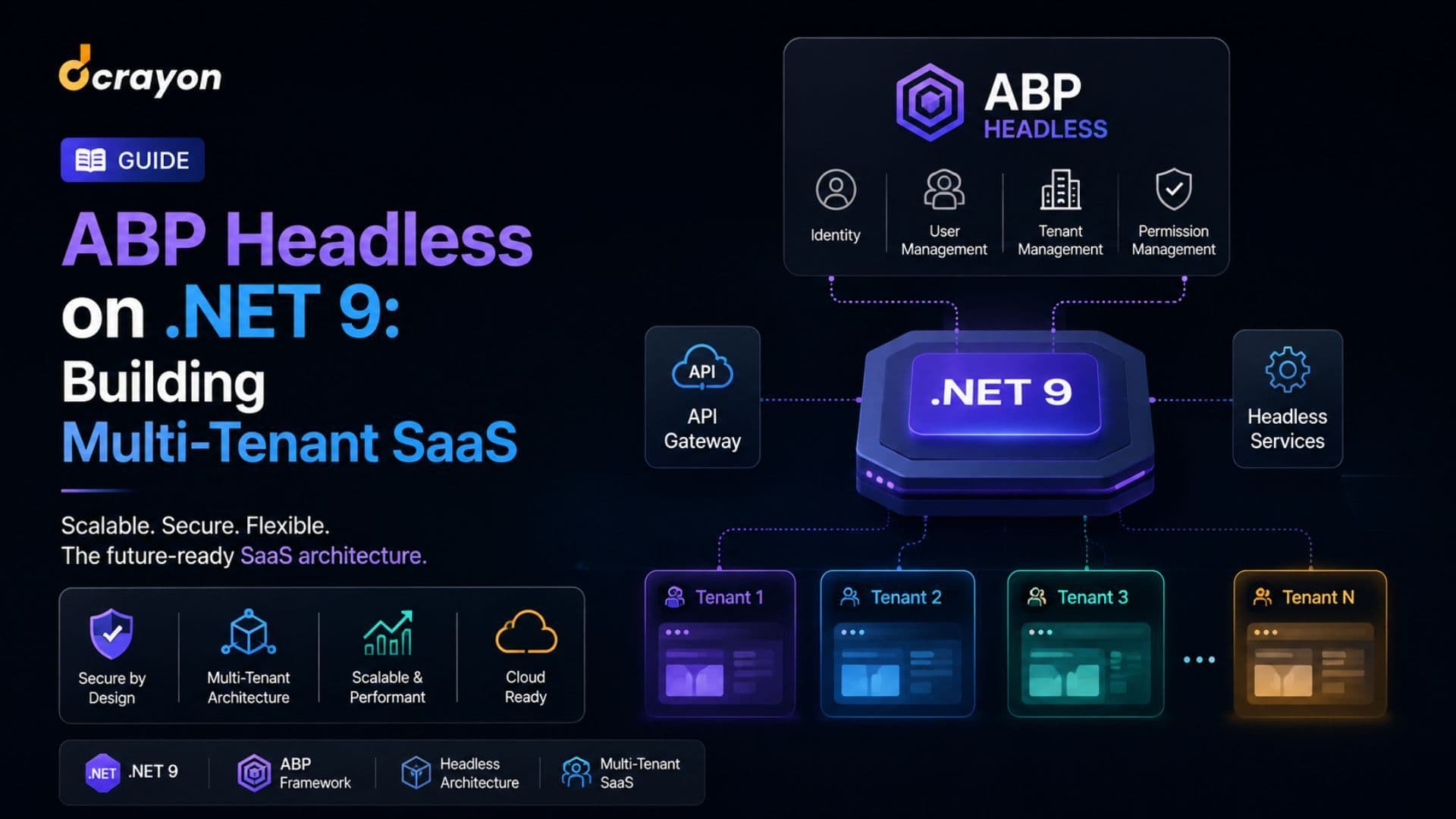
ABP Headless on .NET 9: Building Multi-Tenant SaaS
The handbook on ABP Framework for multi-tenant SaaS. Modular monolith, tenant isolation, identity, the production checklist.

AI Influencer Marketing: Virtual Creators in 2026
The complete guide to AI influencers. From Lil Miquela to brand-owned virtual creators -- creation tooling, deployment, measurement, disclosure rules.

AI Marketing Workflow Automation
The AI marketing automation handbook. Workflow tools (n8n, Make, Zapier + AI), prompt-chain architecture, the operating cadence.
Want to grow your digital presence?
Let's discuss how we can help your business.
Tell us where you are now and which part of what you just read you want to act on first. We will look at your site, search and campaigns before replying, so what comes back fits your situation rather than a template.
Dcrayon was founded in 2016 and now works with 485 active clients across India, the US, the UK and the UAE.